HMAC Generator
Create an HMAC-SHA-256 authentication code locally with Web Crypto.
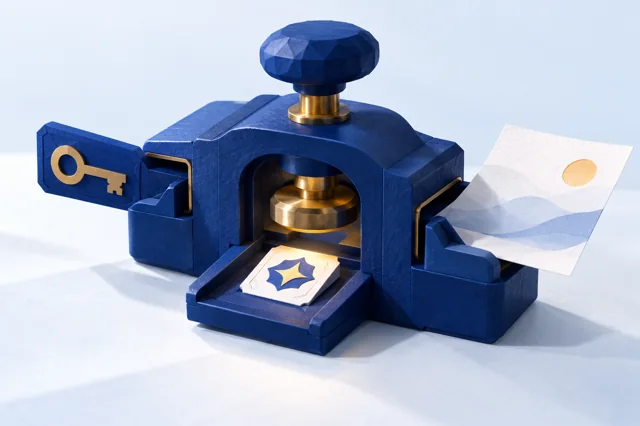
Guided walkthrough
Guided walkthrough
Understand a message authentication code.
- For practice only, use the non-secret message demo message and public dummy key public-demo-key. Never use that key for real authentication.
- Read the explanation before running the tool yourself. This walkthrough does not load an example or start an inspection.
Illustrative example
HMAC-SHA-256 produces a 64-character hexadecimal digest. Changing the message or key changes the computed result.
How to read the result
HMAC is not encryption: it does not hide the message. Verification requires a securely shared secret and a proper comparison procedure. The public demonstration key provides no real authentication. The message and key are used as literal UTF-8 text bytes; hexadecimal-looking or Base64-looking text is not decoded.
This is a static educational walkthrough. It does not fill fields, generate values, inspect your browser, or read storage. Use fictitious, non-secret data for practice. Never share passwords, keys, tokens, or cookie values. These explanations are not a security audit or certification.
Share this tool
Only the tool’s public link is shared. Your inputs and results stay here.
Show link to copy manually
Quick answer
Calculate an HMAC-SHA-256 authentication code from a message and secret key. This page treats both entries as UTF-8 text; use the same message bytes and key bytes in the other system.
The page and its assets load from the site; this operation uses your entered values only in this browser and does not send them to a calculation endpoint.
How to use it
Enter the message and secret key as UTF-8 text. This page does not decode hex or Base64 key strings, so use the same underlying key bytes in the other system. Keep the key confidential.
Limits
The message and key are encoded as UTF-8 text; hex and Base64 key strings are treated literally, not decoded. Both parties must use the same message bytes and key bytes. Anyone holding the key can create valid codes; HMAC does not encrypt the message.
Frequently asked questions
Why does my HMAC differ from another tool?
Both tools must use HMAC-SHA-256 and the exact same message bytes and key bytes. This page encodes both fields as UTF-8 text; it does not decode hex or Base64 key strings.
Does HMAC encrypt the message?
No. HMAC authenticates data with a shared secret; the message remains readable unless separately encrypted.
Can anyone with the HMAC key create a valid code?
Yes. Every party holding the shared key can generate valid authentication codes, so protect and rotate it as appropriate.
Is HMAC the same as a plain hash?
No. HMAC combines a cryptographic hash with a secret key; a plain hash has no secret key.
Sources and references
- RFC 2104: HMAC: Keyed-Hashing for Message Authentication
- MDN: TextEncoder.encode()
- MDN: SubtleCrypto.sign()
These references document the cited standard or browser API; they do not validate the tool’s output.